What to Prepare Before Ordering a Website (Logo, Text, Photos)
The fastest website projects start with the right material on day one. Here's exactly what to gather (logo, text, photos, domain) and how to get it right.

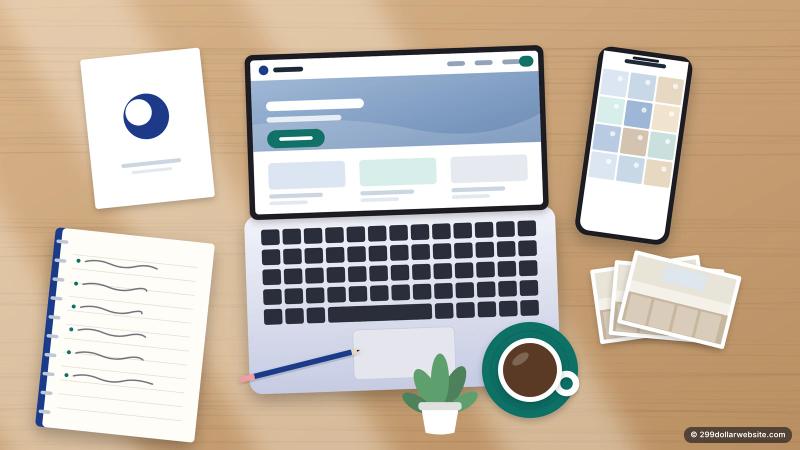
The fastest website projects I've worked on had one thing in common, and it wasn't the budget. The client had their material ready on day one. The slowest ones stalled for weeks waiting on a logo file, a list of services, or a password nobody could find.
If you're about to order a website, here is exactly what to gather first. None of it is technical, and most of it you already have somewhere. An hour of collecting now saves days of back-and-forth later.
Why this matters more than you think
When you order a site from us, the delivery clock starts once we have your logo, text and photos, not the moment you pay. That's true almost everywhere, even when it isn't written down: nobody can build your site without your content. Having it ready is the single biggest thing you can do to get your site live fast.
1. Your logo (or the decision not to have one yet)
Send the best version you have. In order of preference:
- A vector file (.svg, .ai, .eps or .pdf). Whoever designed your logo should have one.
- A large .png with a transparent background, at least 1000 pixels wide.
- A large .jpg if that's all you have.
Avoid screenshots or a logo copied from your Facebook page. They look blurry on modern screens.
No logo yet? That's fine. A clean text logo (your business name in a strong font) looks better than a rushed graphic, and you can swap in a real logo later.

2. The words: what you do, for whom, and where
You don't need to be a copywriter. You need the facts, in plain sentences. Write down:
- Business name and a one-line description. "Family-owned plumbing in Tampa since 2009" beats "Quality solutions for all your needs."
- Your services, each with two or three sentences: what it is, who it's for, and anything that makes yours different.
- Your service area. List the actual towns or neighborhoods. This helps Google show you to people nearby.
- A short "about" paragraph. Who you are, how long you've done this, and why customers pick you.
- Prices, if you're comfortable showing them. Even "from $150" or "free estimates" answers the first question most visitors have.
Bullet points in an email are perfectly fine. A good web builder will turn them into finished text. What they can't do is invent the facts about your business.
3. Contact details, exactly as you want them shown
Write these out once, carefully, because they'll appear on every page:
- Phone number (and whether it takes texts)
- Email address
- Street address, or "service area only" if customers never visit you
- Opening hours, including weekends and holidays
- Links to your Google Business Profile, Facebook, Instagram or any other profile you actually use
Use the exact same name, address and phone number everywhere online. Small differences ("St." on one site and "Street" on another, an old phone number on Yelp) confuse Google and customers alike.
4. Photos: real beats perfect
Stock photos are easy, but customers can spot them. Real photos of your work, your team and your vehicle build more trust than any polished image of a smiling model.
You don't need a photographer. A recent phone is plenty if you:
- Shoot in daylight, ideally outside or near a window.
- Hold the phone sideways (landscape) for most shots.
- Clean the lens and the scene first: tidy the van, wipe the counter.
- Take more than you need. Twenty photos to choose from is better than five.
Good photos to collect: you or your team at work, finished jobs (before and after if you have them), your shop or vehicle with your branding, and a friendly headshot for the About section.
5. Reviews and proof
Copy three to six of your best reviews, with the customer's first name and last initial. Google reviews are ideal because visitors can check them. Also note any licenses, insurance, certifications or memberships you'd like displayed. For many local services these matter as much as the design.
6. Your domain name and the login for it
Your domain is your address online, like yourbusiness.com. Answer three questions before you order:
- Do you already own one? If yes, find out where it's registered (GoDaddy, Namecheap, Google Domains moved to Squarespace, and so on) and make sure you can log in.
- Is it in your name? If a past web designer registered it under their own account, ask them to transfer it to you now. This is the most common problem I see, and it's much easier to fix before launch day.
- If you don't have one, pick two or three options. Short, easy to spell, and ideally with your town or trade in it.
7. Two or three websites you like
Send links to a few sites you like the look of, and one sentence on why: "I like how the phone number is always visible," or "clean and simple, not too much text." They don't have to be in your industry. This is the fastest way to explain taste without a design vocabulary.
Your ready-to-order checklist
- Logo file (or "text logo for now")
- One-line description and a short about paragraph
- List of services, with a few sentences each
- Service area, prices or "free estimates"
- Phone, email, address, hours and social links, written exactly as you want them
- 10–20 real photos
- 3–6 reviews, plus licenses and certifications
- Domain name and its login, registered in your name
- 2–3 websites you like
Put it all in one folder or one email, and the hard part is done.
When you're ready, our $299 Personal Website goes live 48 hours after we receive your material, and the Business Website within 5 days. Not sure which fits? Compare the packages.